Tour DittoSheets

Memorization Tools
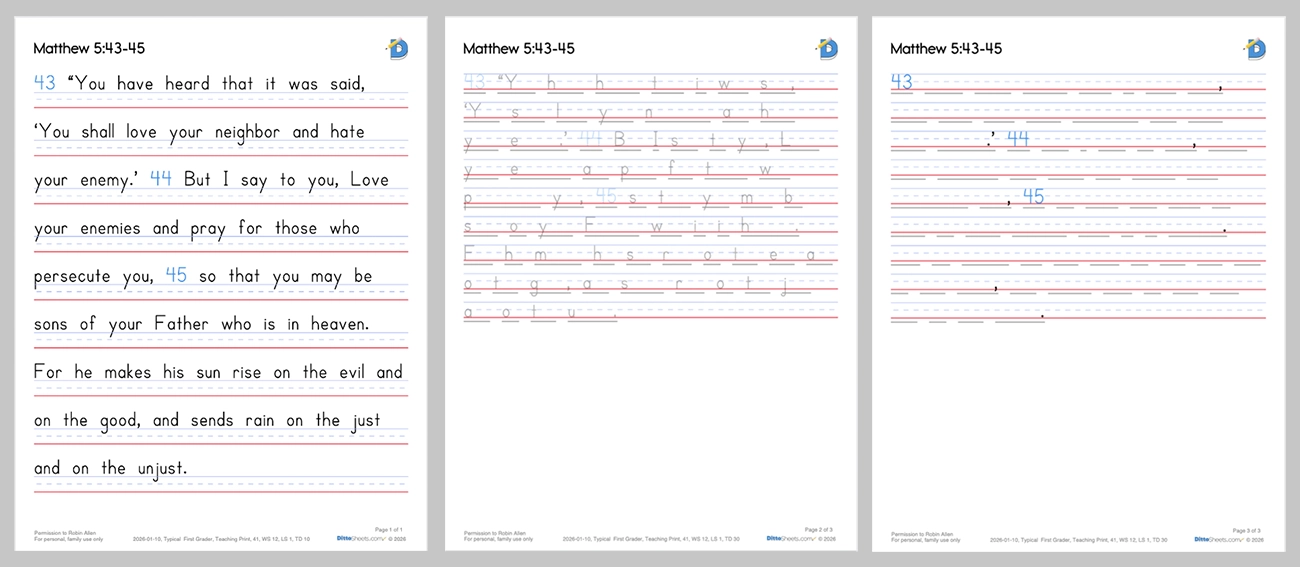
Three Step Memorization
Using a combination of DittoSheets' features, educators can design several days of memory work so the student can work independently.
Day 1, 2, and 3 - Repeat DittoSheets Copywork. Focus on copying the text exactly.
Day 4, 5, and 6 - Fill in the First Letter Hints. Recall the correct word, and with correct spelling.
Day 7 and 8 - Fill in the Memory Lines. Can the student write and recite the text accurately on the last day!? 👍🥳👏
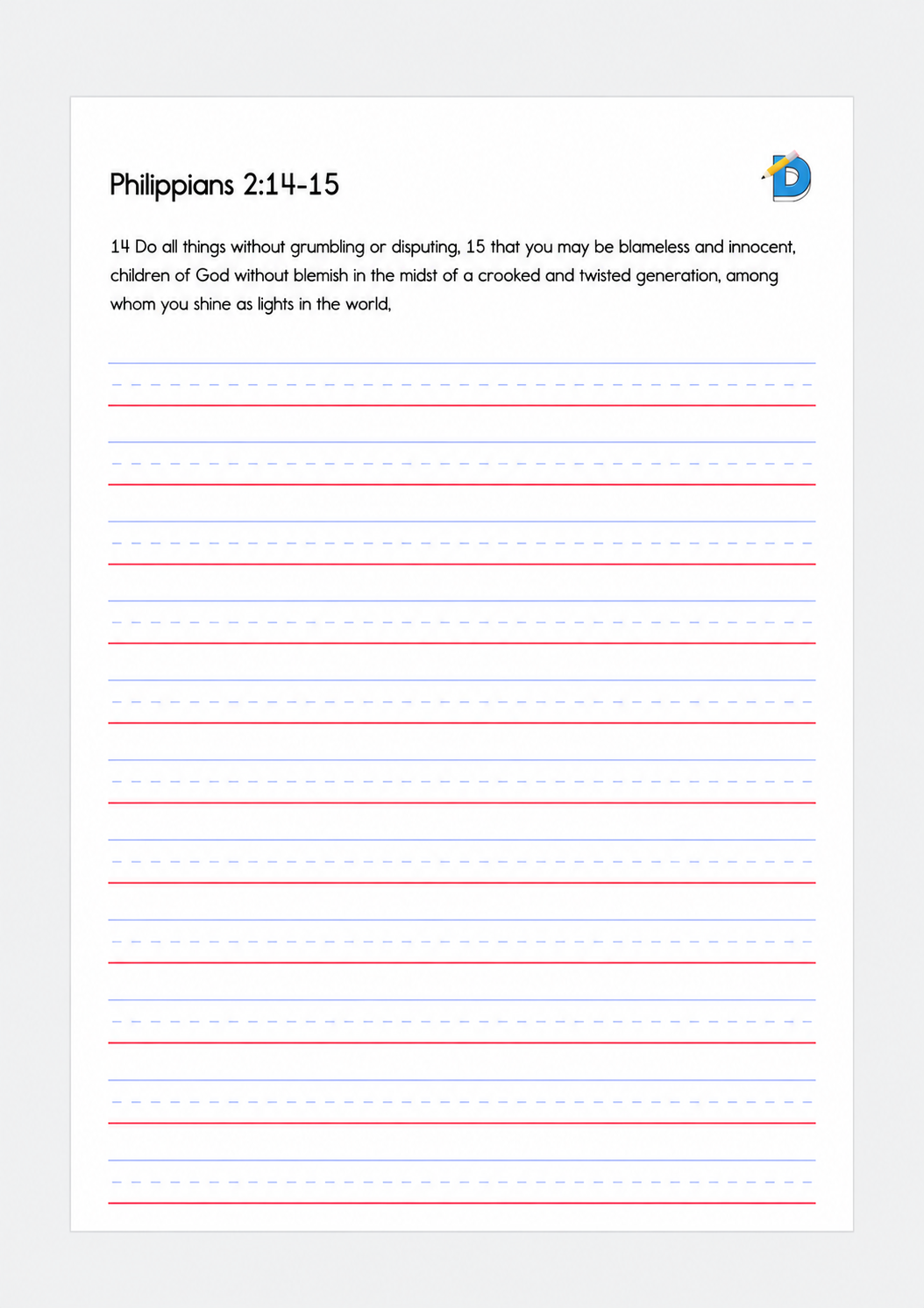
Traditional (Throwback) Copywork
Copywork in it’s original form - students copt the text all located at the top of the page, practicing retention, handwriting and spelling.
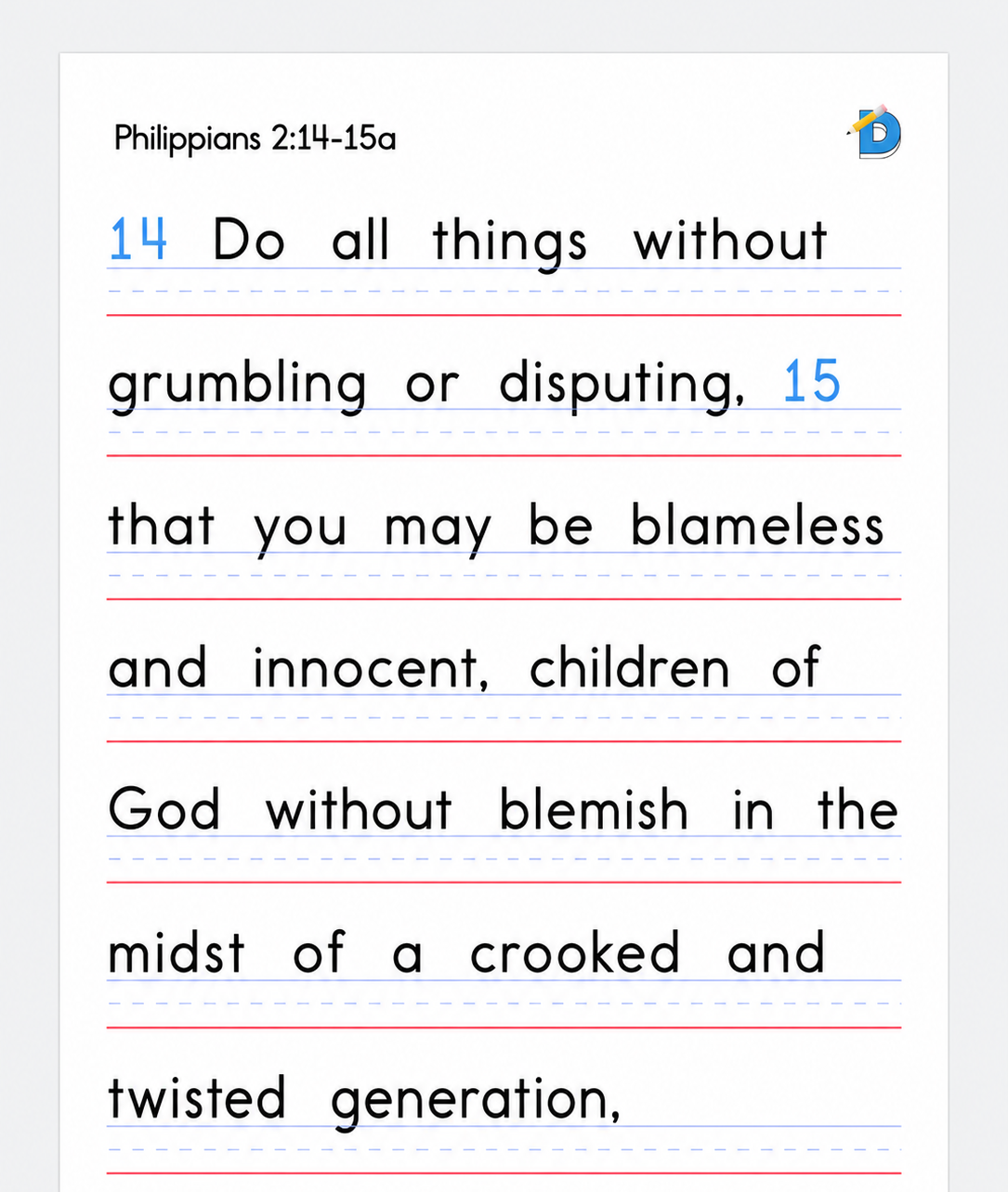
DittoSheets Copywork
The foundation of handwriting and memorization practice — students copy text exactly as shown, building muscle memory and retention.
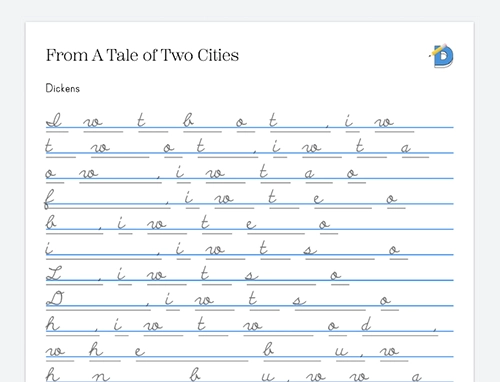
First Letter Hints
First Letter Hints show the first letter of every word AND the blank line to fill in that matched the redacted word's length. This is "step 2" in DittoSheets' three step memorization method.
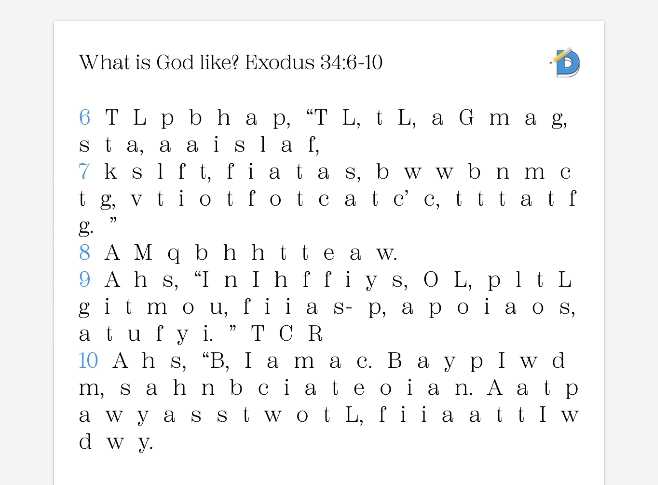
First Letters Only
First Letters Only is just what it sounds like. No blank line. This Sheet Type would be printed out and read as a way of quizzing oneself on whether a text is memorized.
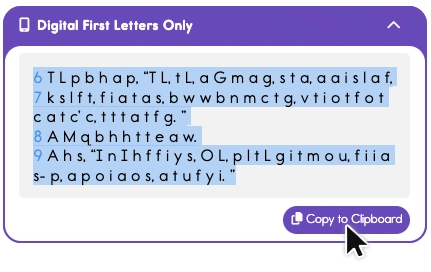
Digital First Letters Only
The Plus user has the ability to copy the digital First Letters on to their clipboard and paste wherever they are needed.
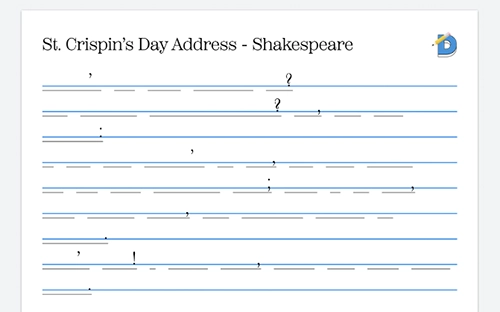
Memory Lines
Memory Lines is "step 3" in DittoSheets' three step memorization method. The lines are the precise length of the redacted word. Filling in a Sheet serves as a "quiz" for the student.
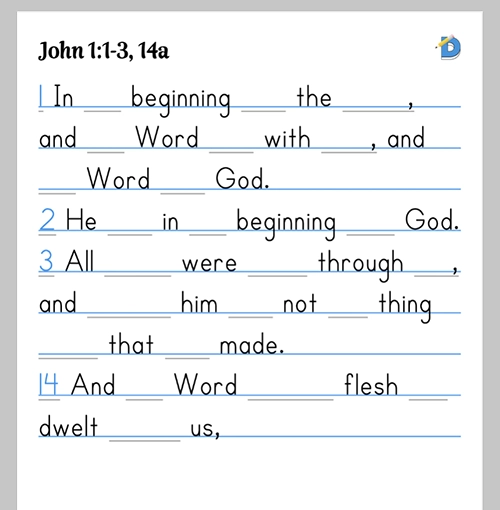
Every Other Word Redacting
Redacting every other word is more of game-learning than anything else. It's another way to keep memorization from being boring for the student.
Comprehension Quiz Builder
Build custom comprehension quizzes based on your content to test student understanding beyond memorization.
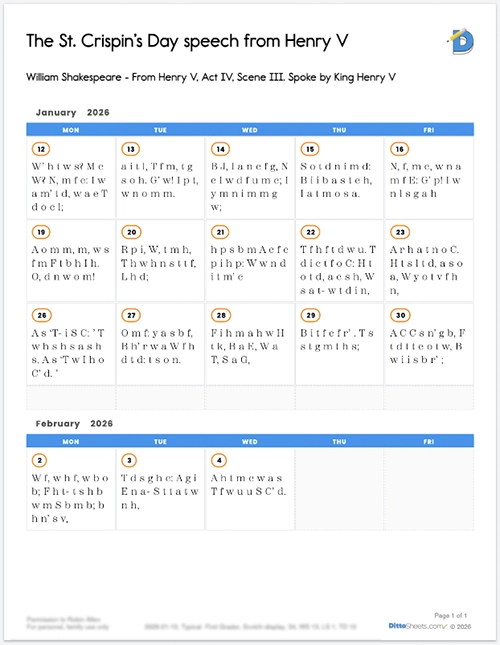
Planning Calendar
Plan and schedule your memory work assignments with an integrated calendar view.
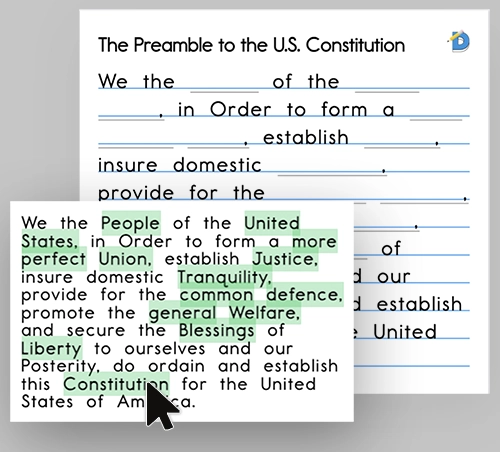
Manual Word Redacting
The educator chooses specific, key words to redact. This feature can also be used to make in-context spelling quizzes.
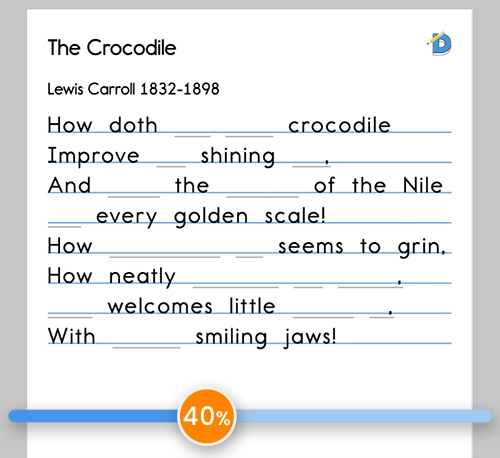
Randomized Word Redacting
The educator may not care to choose which exact words are made into blank lines, but rather that a certain percentage of the words are randomly chosen.
Styling
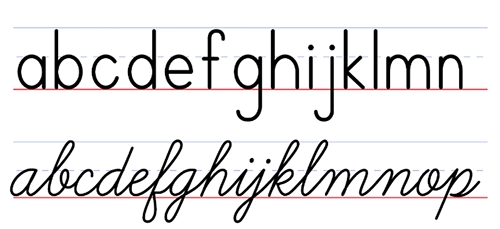
Fundamental Fonts
Teaching Print and Cursive — DittoSheets' FREE Users have the essential print font and the essential cursive for students who only need the basics.
Fun and Versatile Fonts
It's easy to spice up any Copywork page by using creative fonts that fit your student's own style.
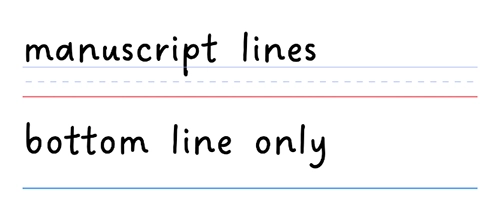
Choose TWO Practice Line Types
Bottom Line Only, Manuscript Lines — DittoSheets' FREE Users have the essential bottom line, like notebook paper for upper grades; and manuscript lines for lower grades.
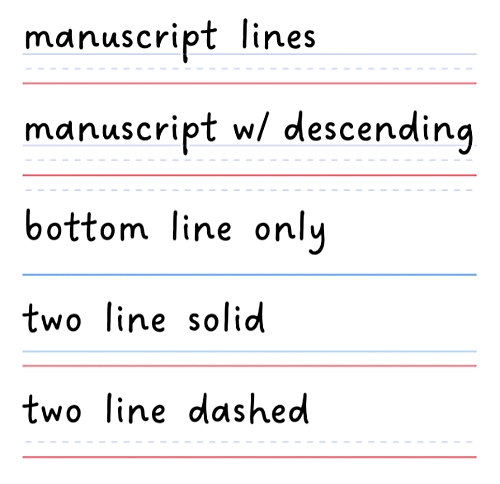
Choose ANY Practice Line Type
Choose any of the five line types to help your writer develop precise penmanship.
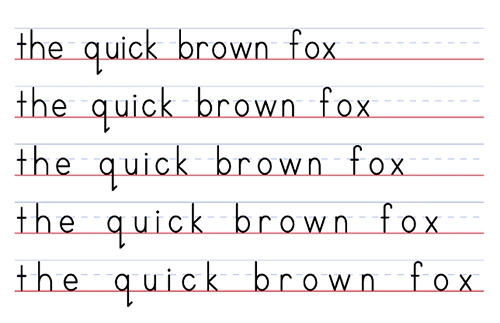
Choose Letter Spacing
As emerging writers are still developing their skills, letter spacing is often an issue. Young students may need extra space between letters in order to stay neat.
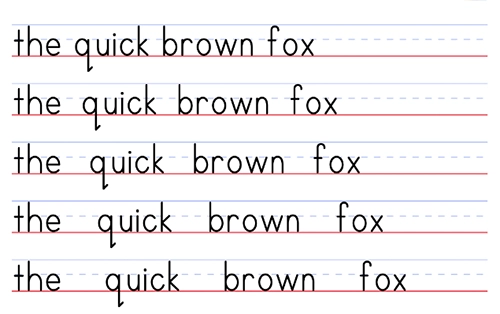
Choose Word Spacing
For young writers, spaces between words can be forgotten. The educator can add exaggerated space between each word making the spaces hard to ignore.
Choose Font Size
The "rules of Ruling" can vary between different methods of teaching. The educator can choose a standard Line Height, or nudge the size down or up on a case by case basis.
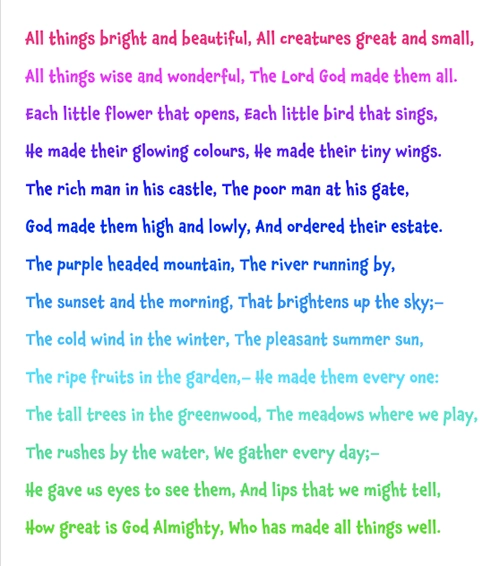
Choose Font Color
Choose any color for your text with an easy color picker.
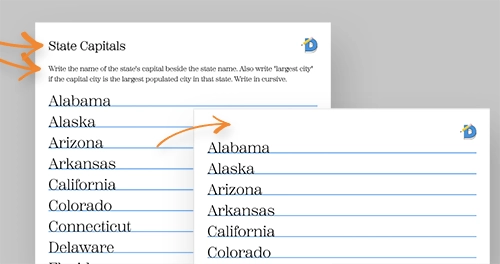
Sheet Titles & Subtitles
Not all sheets need a title or a subtitle. Or, for the super organized classroom, both can be utilized.
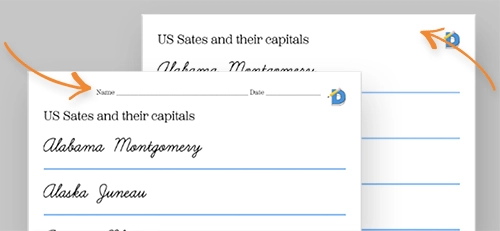
Sheet Name & Date
Turn on or off the Name and Date Field, or craft a different field entirely.
Tracing
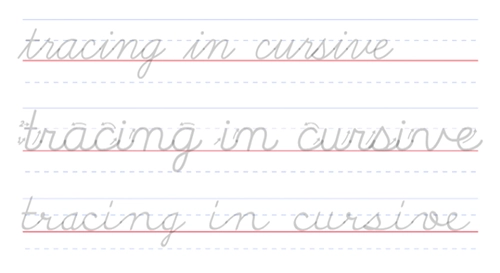
Cursive Tracing
Cursive practice is made easy with tracing. Instead of dashed or dotted lines to trace, the user can set the solid gray tracing lines to be whisper light, or much darker and anywhere in between.
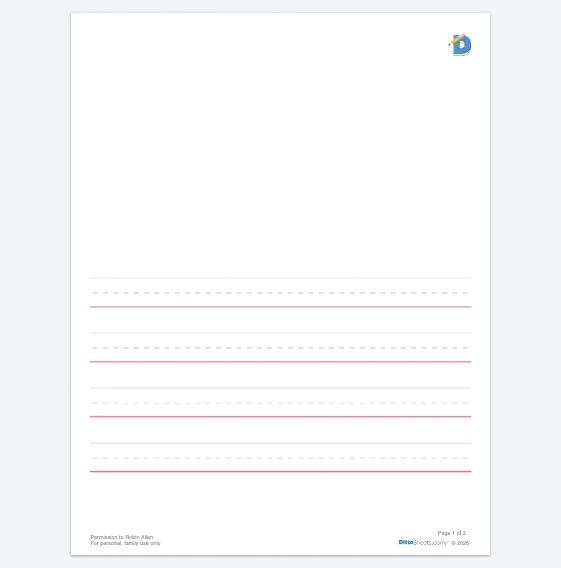
Half Blank Page Print Tracing
An early elementary favorite is a page of half artwork, half handwriting. The educator has control over how many lines to include, and how large the artwork area is.
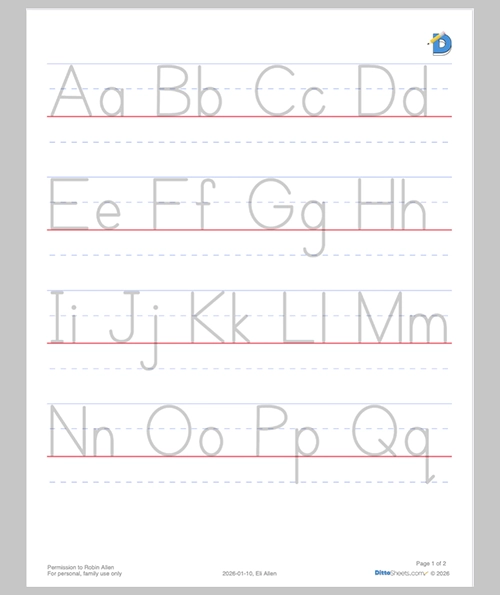
Super Large Tracing
Brand new writers are developing fine motor skills and letter formation, so making tracing pages with the largest fonts is super helpful.
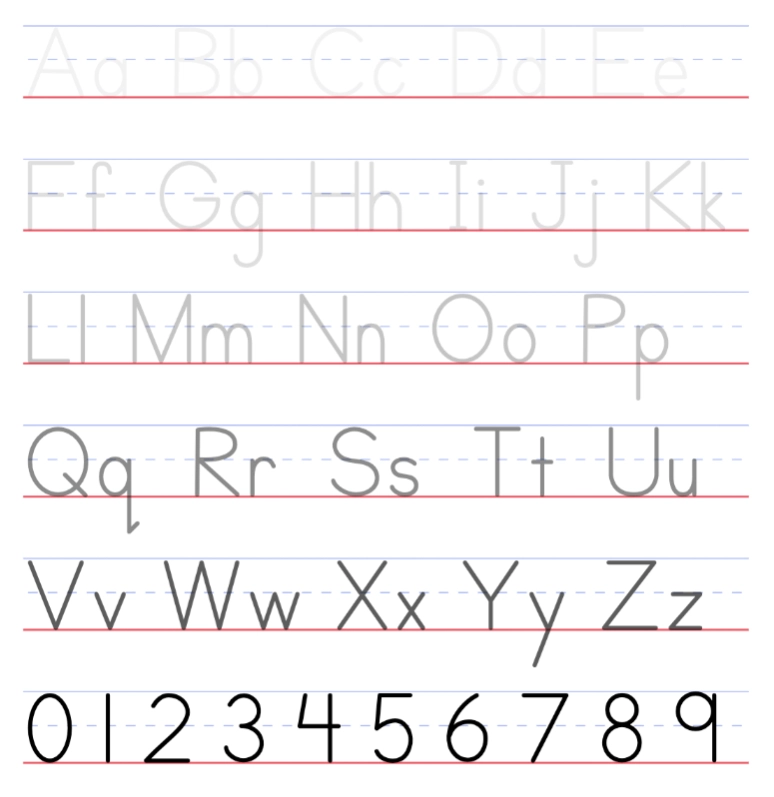
Tracing Darkness
Select super light tracing letters so the child's handwriting is what is most easily seen, or keep the letters darker so they are easy to see while tracing.
Teacher Assistant Tools
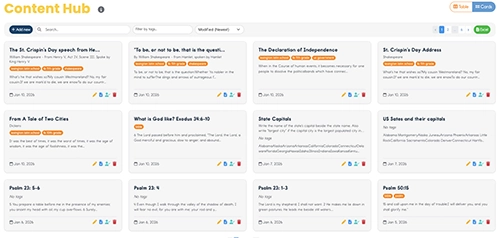
Content Hub
Saving your own content is a huge time-saver. Simply paste the text into the Content Hub. Add a Title, Footer notes, and Search tags and now you have it for safe keeping.
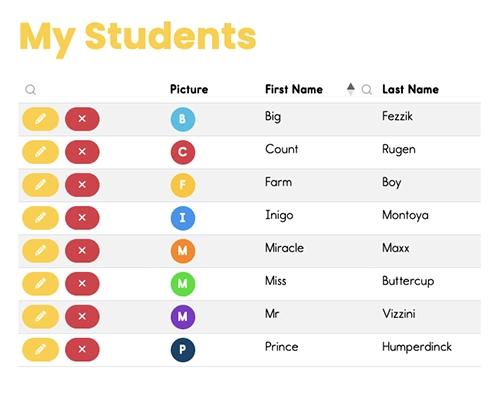
Eight Student Settings
Save settings for each individual student so you don't need to jump through 100 clicks each time you create an assignment. Perfect for homeschools and multi-grade classrooms.
Tagging
Within the Content Hub, tagging Content with relevant tags bring helpful organization to the educator.
Footers
Automatically add small footer text to keep life organized. (Student Name, Date Printed, and other custom text)
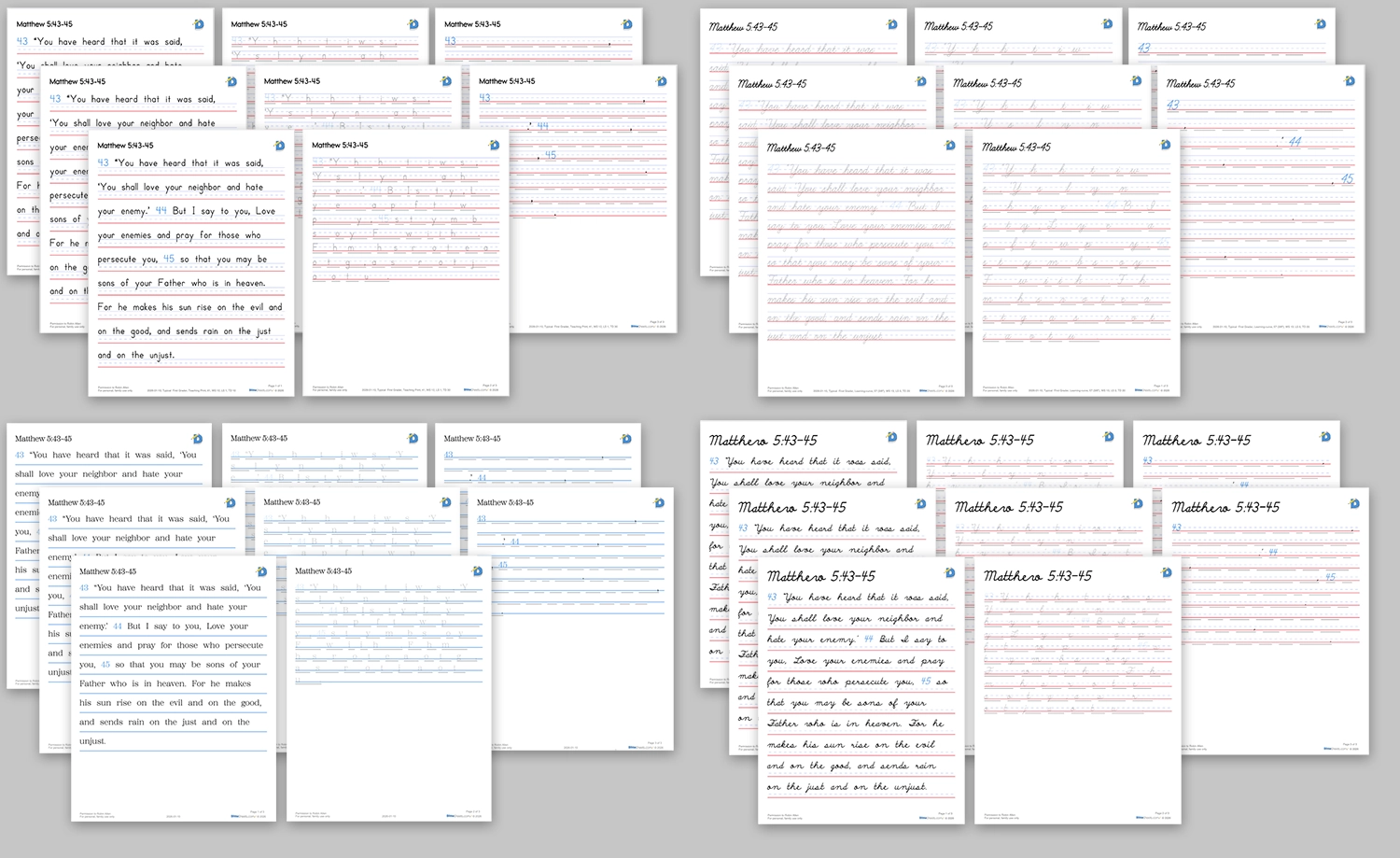
Batch Create
Create a large PDF with Content for multiple students and multiple-copies in one easy step. Create a week's worth of multiple days worth assignments for multiple students all at once.
Advanced Sheet Builder
Simply add whichever section is needed next. Control formatting and allow custom organizing of plain text and student exercises without the standard template limitations.
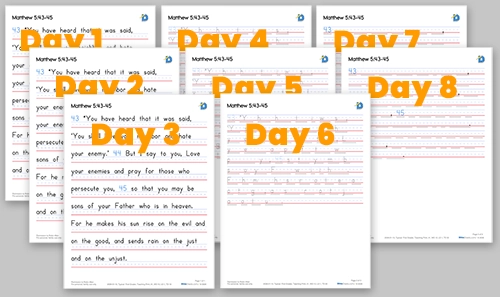
Multi-copy PDF Building
Create full PDFs with multiple copies built in. Useful when creating a week's worth of assignments with DittoSheet's Three Step Memory Method.
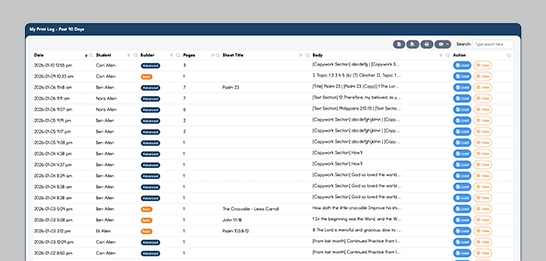
Print History
With a 90 day look-back, quickly re-print the exact same PDFs as previously printed with a click of a button.
Library
Popular memory work ideas, like Catechisms, Public Domain poetry and writings, and US Historical Documents, will all be available through the Content Hub.
Access
20 Pages Per Month
FREE250 Pages Per Month
LITEUnlimited Pages Per Month
PLUSReady to Jump In?
Create custom copywork and memorization tools that help students build handwriting skills, practice spelling, and retain what they learn.