Introduction to the Content Hub
Learn what the Content Hub is and how it helps you organize your worksheets.
Your Personal Content Library
The Content Hub is your personal library of ideas that you plan on using to make Ditto Sheets...
Bible verses, speeches, catechisms, spelling lists, vocabulary words, poems, creeds, and anything else you use for you homeschool or classroom.
Save it once, use it forever.
Why Use the Content Hub?
Think about how much time you spend typing or copying content each week. The Content Hub eliminates that repetition:
- Save once, use forever - Enter content just one time, then load it instantly whenever you need it
- Stay organized - Use tags to categorize content by subject, grade level, student, month, year, theme or anything else
- Retrieve way later - Recall content you used months or years ago without having to recreate it from the ground up.
Content Hub does not store formatting
Formatting e.g. font, size, line type, and colors, will is not tied to any piece of content.
This separation allows you to call up content from the Hub then apply a certain student's settings to that content.
Here is a real life example...
Say we are a homeschool family and I want three of my children, whose ages vary greatly, to memorize Proverbs 3:1-12 this semester.
First, I paste the text into the Content Hub. If it brings in weird spaces from the internet, I go ahead and delete them in this window.
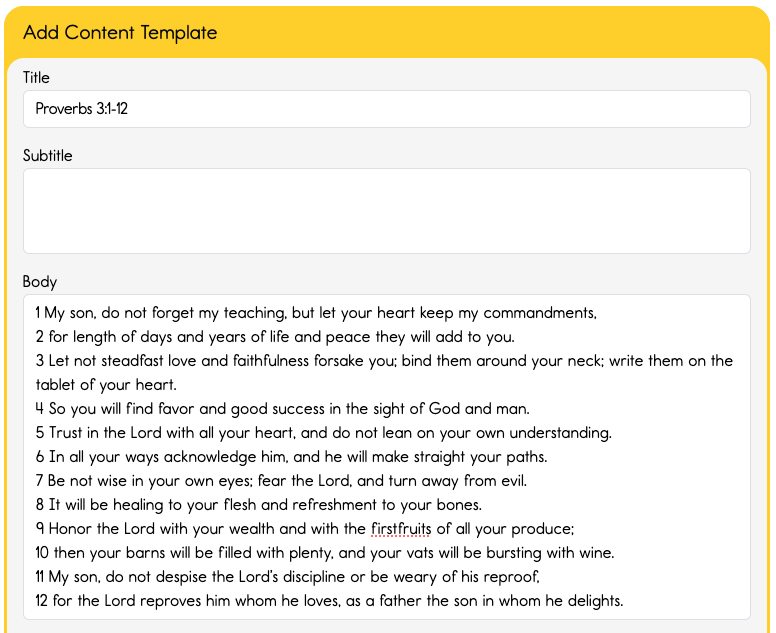
Next I load this content I just created into the Sheet Builder....
Since I have my children's settings already saved to their Student Profile, then with once click of a button I can quickly apply settings for each my student to a single piece of content.
Here's the first page of each of their PDFs. You can see that they all have the same title and body text, but the formatting is all different. They each have different fonts, size, and line types. Further, two kids are tracing their text, and two are copying their text.
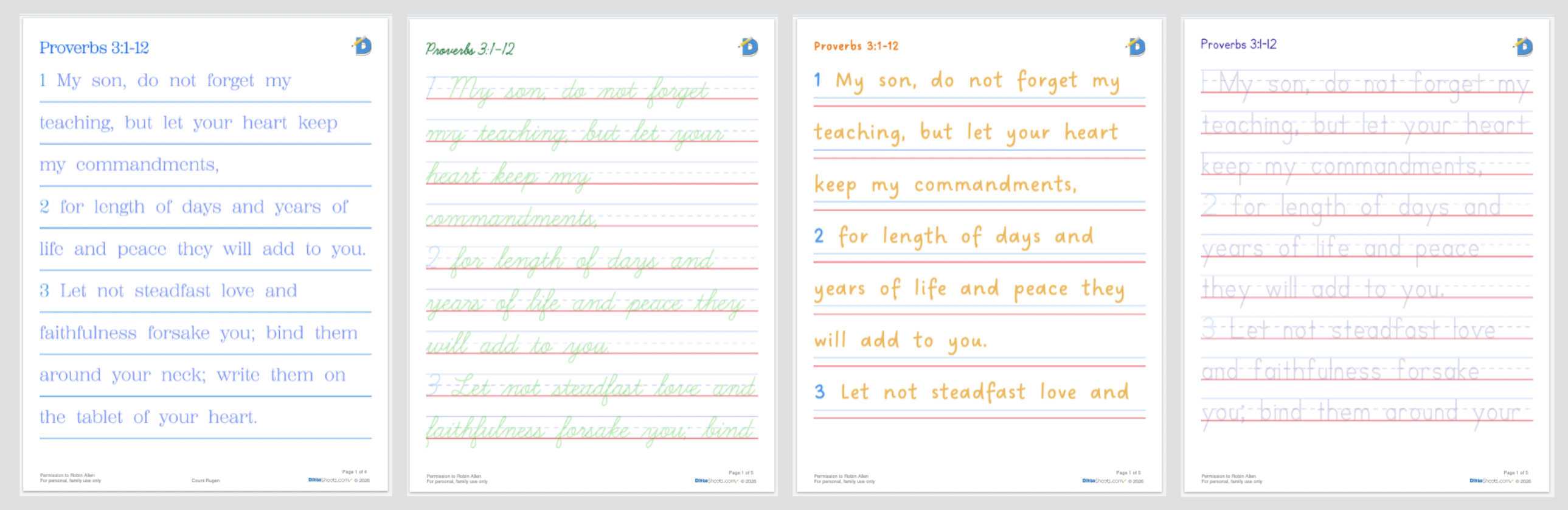
I use this feature in our homeschool constantly. Since all my kids have the same Bible curriculum that we discuss in the mornings, they are all needing to memorize basically the same text.
Robin
Truth be told, I have my 12 year old do much more memorization than I have my 6 year old do. Since my older one is super quick at memorization and copywork, I assign about two or three times the memory work that my youngest is doing.
Utilizing the Content Hub is the KEY to DittoSheets being the perfect "curriculum"...
- Identify what text students should commit to memory during this school year.
- Perhaps your Bible curriculum already has memory verses picked out
- Perhaps your writing curriculum has vocabulary words
- Perhaps your language arts curriculum has spelling lists or grammar rules
- Perhaps your foreign language curriculum has assigned writing practice
- Perhaps there is required recitations, such as speeches, to perform this year
- Load the text you identified into the Content Hub.
- Use tags!
- The name of the Bible, Language arts, foreign language class or curriculum
- The school year
- The Bible Lesson or LA lesson each Content corresponds to
- The student who will use the Content
- Use tags!
- Now that all the Content is loaded in you can load content as needed into the Sheet Builder and print whenever you're ready!
When I was looking for the "perfect" Bible memory curriculum years ago at a homeschool convention's trade show, I quickly discovered it did not exist. Different ones got close, but nothing fit the bill.
Robin
This one had cartoons and coloring sheets that bothered me. That one wasn't the translation our family used. This other one checked the other boxes, but the requirement was far too easy. And some chose verses that simply didn't speak to where we were in life.
So I made my own with DittoSheets.
No illustrations to get in my way, our preferred Bible translation, medium-hard length of text each week, and I researched the fundamental verses that I was eager for my children to know by heart.
Accessing the Content Hub
Click Content Hub in the main navigation menu. You can also access it from within the Sheet Builder by clicking Load Content and choosing From Content Hub.