Creating Your First Worksheet
A step-by-step walkthrough of creating your very first handwriting practice sheet.
Let's Create Your First Worksheet!
Ready to make some magic? Let's walk through creating your first DittoSheet from start to finish. By the end of this tutorial, you'll have a beautiful PDF ready to print.
Step 1: Open the Sheet Builder
Click on Sheet Builder in the left navigation menu. You'll see the main workspace divided into two sections - your controls on the left, and a live preview on the right.
Let's fill in the controls on the left systematically, from the top down for this first time.
Step 2: Choose a Sheet Type
You can either type directly into the text box, paste text from an outside website, or load saved content from your Content Hub.
For now, let's type something simple - try a short quote or a few words. ... Example: "The quick brown fox jumps over the lazy dog."
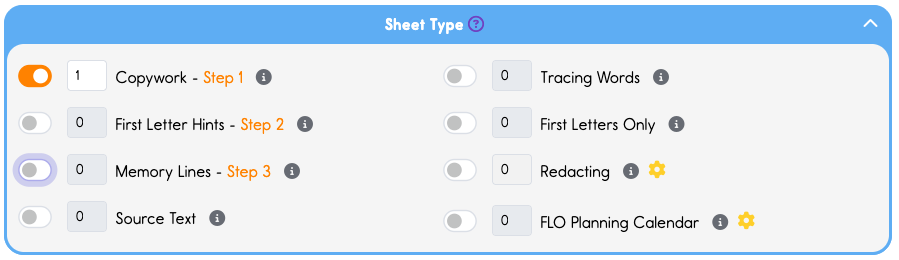
On the left section of the screen, at the top, find Sheet Type. It may already be open for you.
You'll see several options. For your first sheet, let's try Copywork - this creates lines for students to copy the text beneath a model. Copywork is the most fundamental type of Sheet.
Step 3: Name & Date
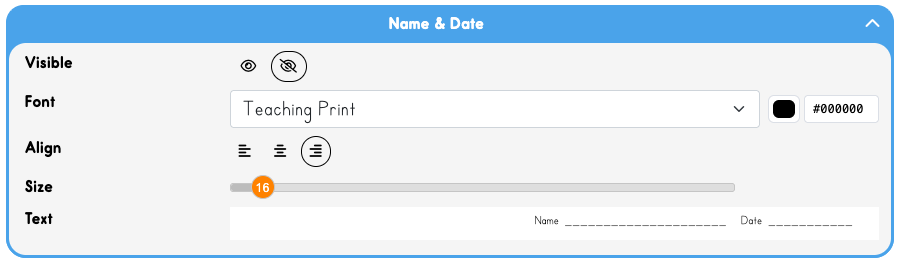
The default position is this field is hidden. (The Eye has a slash through it.) Let's leave that off for this sheet.
Step 4: Title
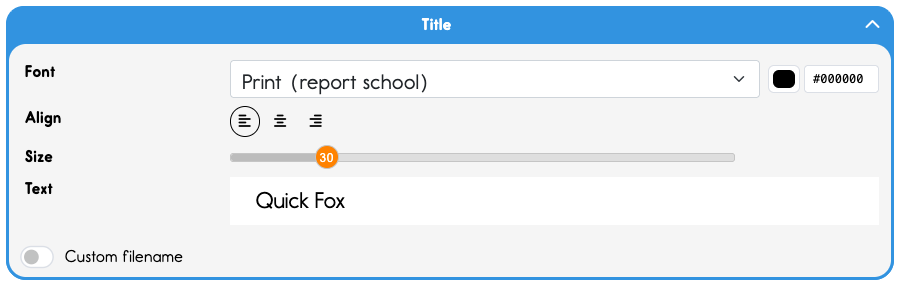
Type "Quick Fox" in the Title textbox
Leave the font set to Print - Report School, and leave the size set to 30.
Step 5: Subtitle
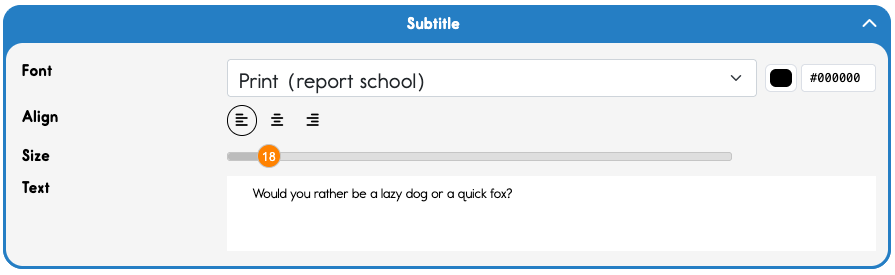
Subtitle is the next field down. Let's add a quippy subtitle. Leave everything else as-is.
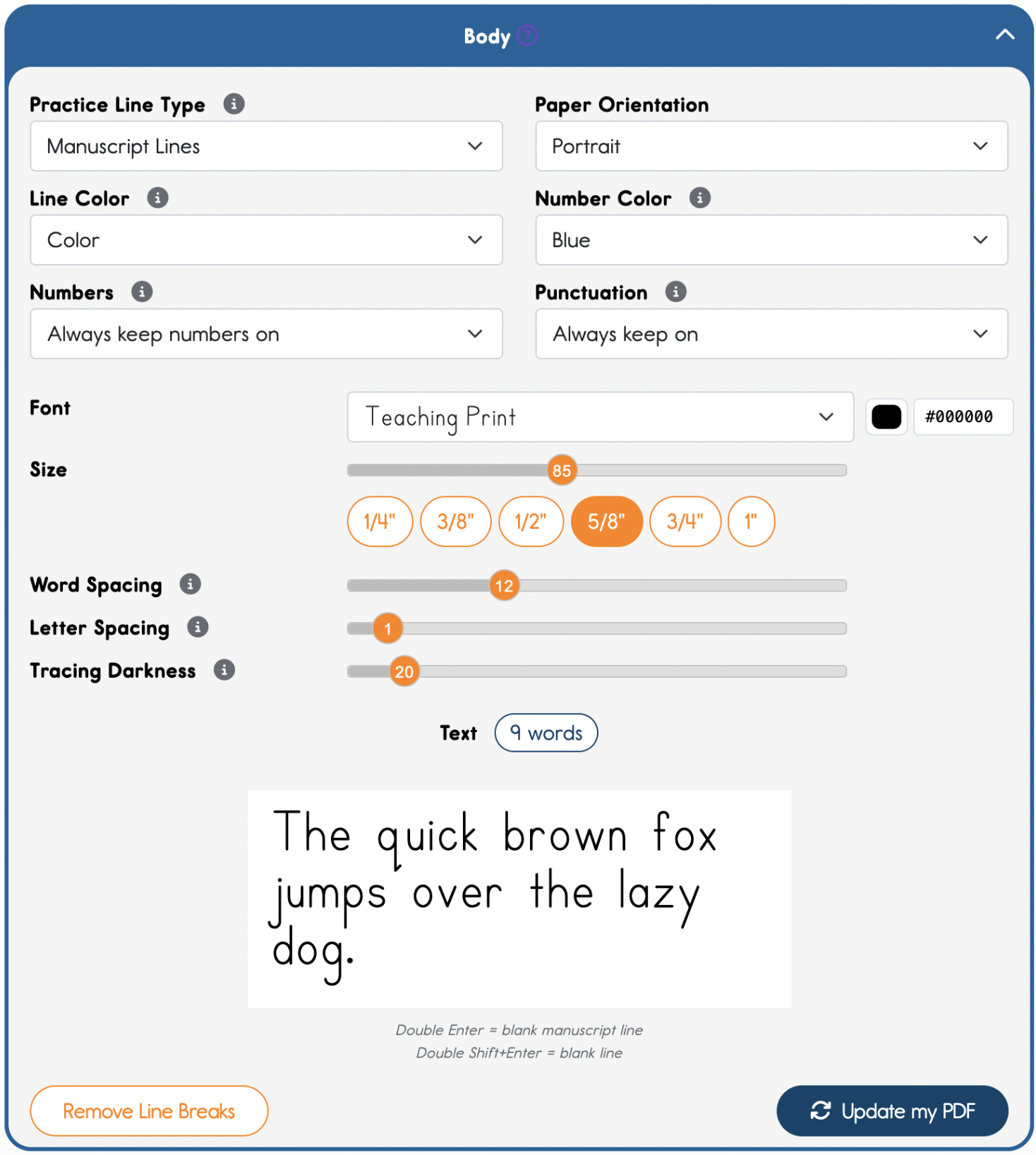
Step 6: Enter Your Body Text
The body text has lots of options to explore. After we print this first sheet, come back and play with all the options to see the many ways you can customize your Sheets.
Type "The quick brown fox jumps over the lazy dog." into the Text box.
Choose Teaching Print font, 5/8 quick button, and leave word spacing and letter spacing where they are.
Step 5: Preview and Download
Look at the preview on the right - this updates in real-time as you make changes. When you're happy with how it looks, click the down arrow or the print icon to download or print!
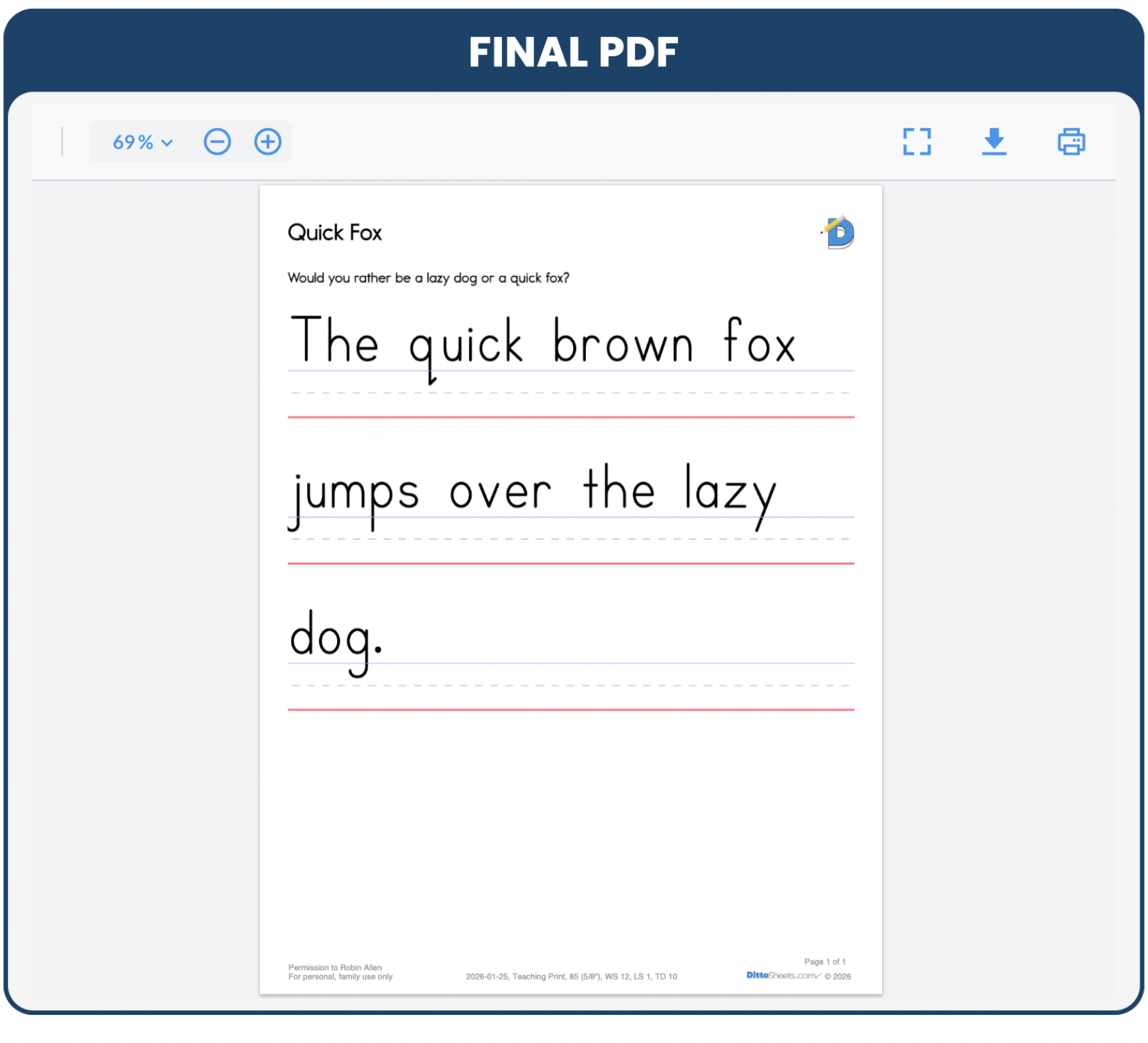
That's it! You've just created your first handwriting worksheet. Print it out and see the quality for yourself.