Intro to the Advanced Sheet Builder
Discover the powerful multi-section worksheet builder that gives you complete control over more complex worksheets.
Welcome to the Advanced Sheet Builder
The Advanced Sheet Builder is a Plus-tier feature that transforms worksheet creation from a single-page experience into a powerful multi-section document builder. While the simple Sheet Builder creates one practice type at a time, the Advanced Builder lets you combine multiple sections, each with its own content and settings, into a single cohesive worksheet.
Quick reminder of the simple Sheet Builder
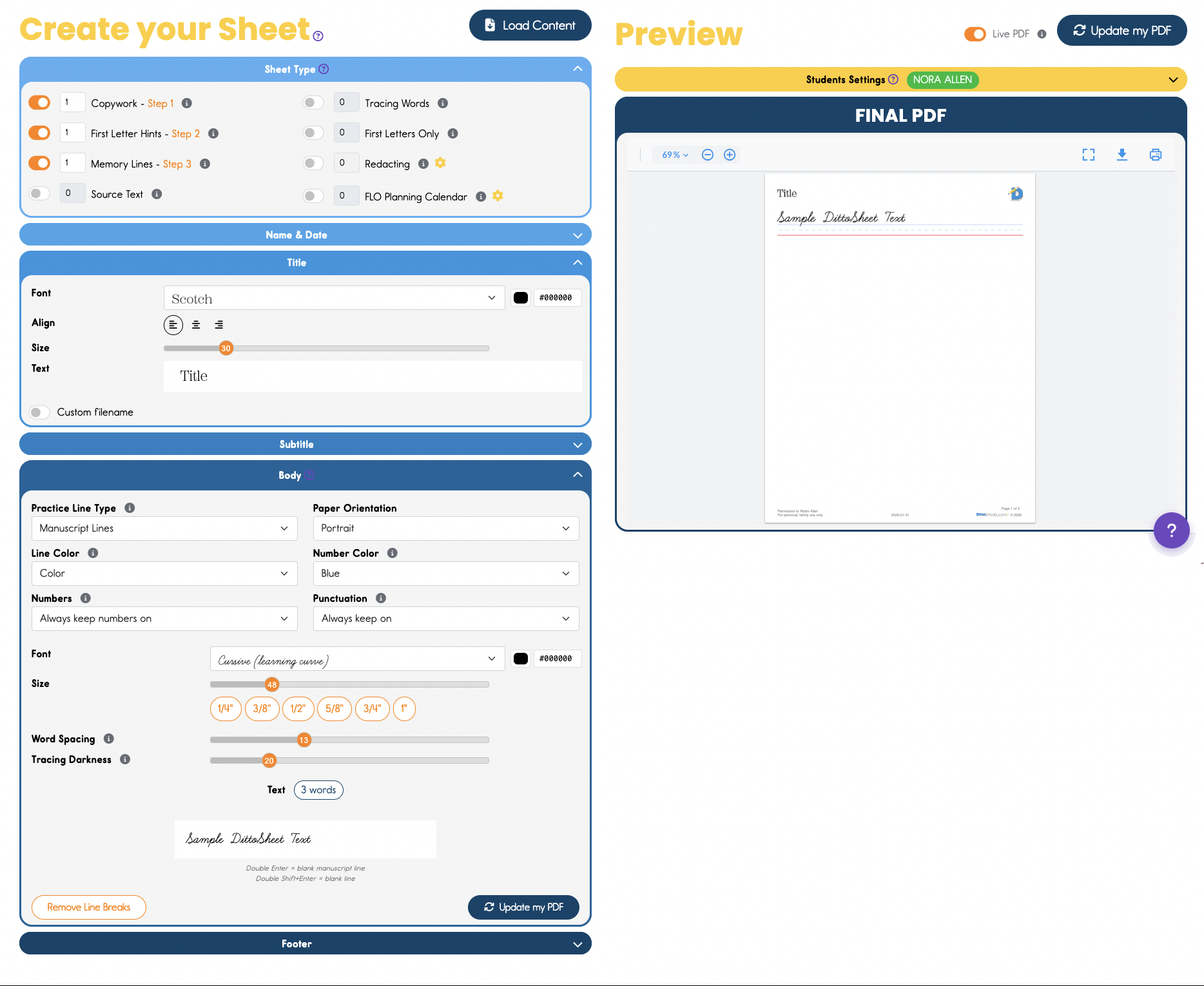
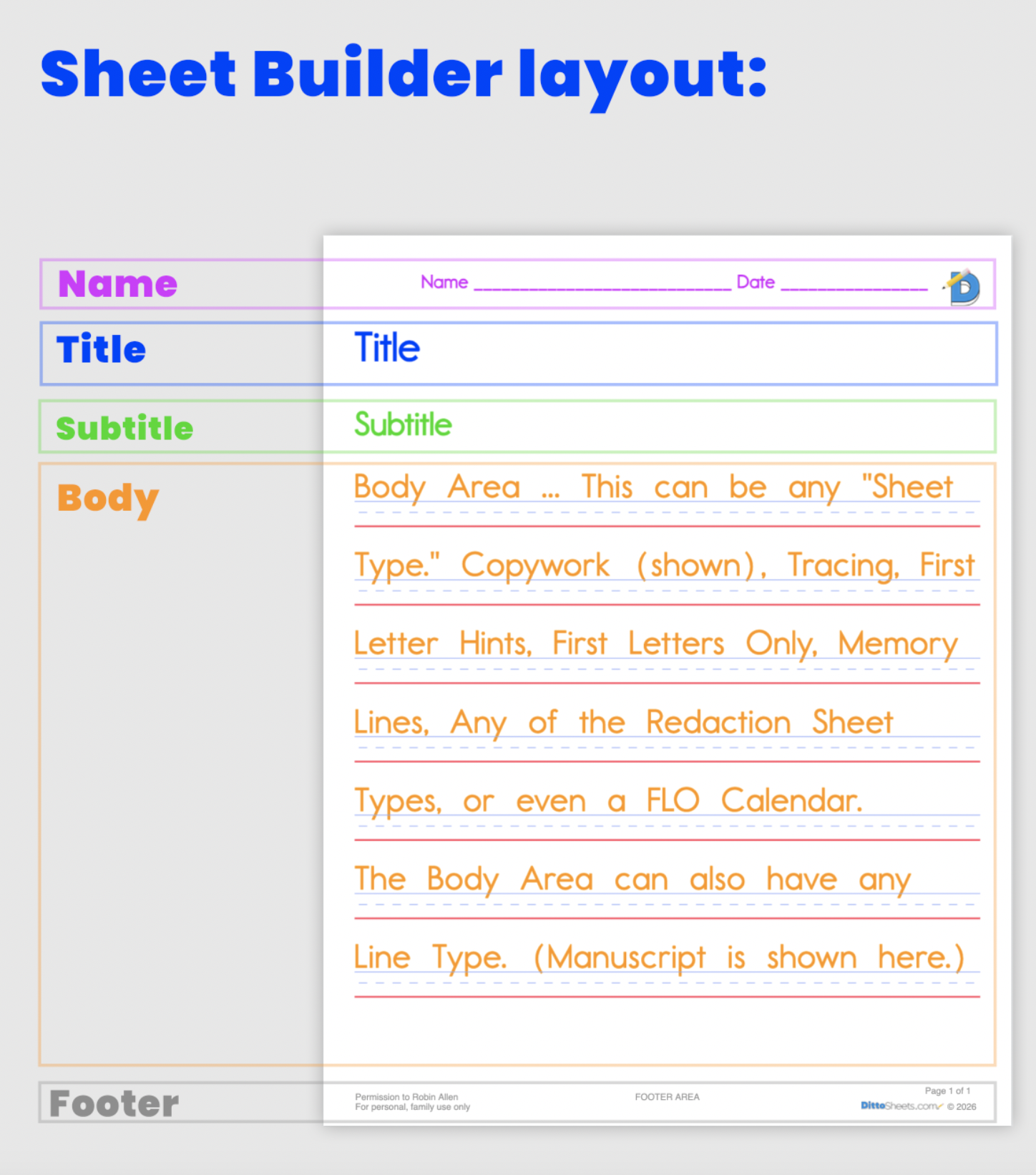
This simple Sheet Builder creates Sheets with the basic format of... Name&Date, Title, Subtitle, Body, and Footer. (all but the footer can be turned off.)
Here is the PDF from this simple Sheet Builder:
How is the Advanced Sheet Builder Different?
The key difference is the multi-section architecture. Instead of just one title, subtitle, and body, in that order, (like in the Simple Sheet Builder), If you are using the Advanced Sheet Builder, you can add multiple independent sections to your worksheet, in any order.
What are the "sections," you ask??...
- TEXT SECTIONS- Any text.
- Formatting: font, size, color, alignment.
- Used for: Titles, Subtitles, Name&Date, Additional Directions, comments, or notes.
- COPYWORK SECTIONS - Any text.
- Formatting: font, size, color, word spacing, letter spacing, tracing darkness
- Key Attribute: SHEET TYPES... Tracing Copywork, Traditional Copywork, First Letter Hints, Memory Lines, First Letters Only, Redacting, and FLO Calendar.
- Additional Functionality: Ability to change the order of the sheet types when multiple Sheet Types are used.
- Used For: Body Text. The student primarily writes here, or fills in blanks here.
- PAGE BREAK SECTIONS - Control exactly where new pages begin
- HORIZONTAL RULE SECTIONS - Visual dividers between content areas
Each section operates independently - sections can have different fonts, sizes, challenge types, and content which differ from other sections.
Now its time to SEE what we're talking about ...
Advanced Sheet Builder Screenshot
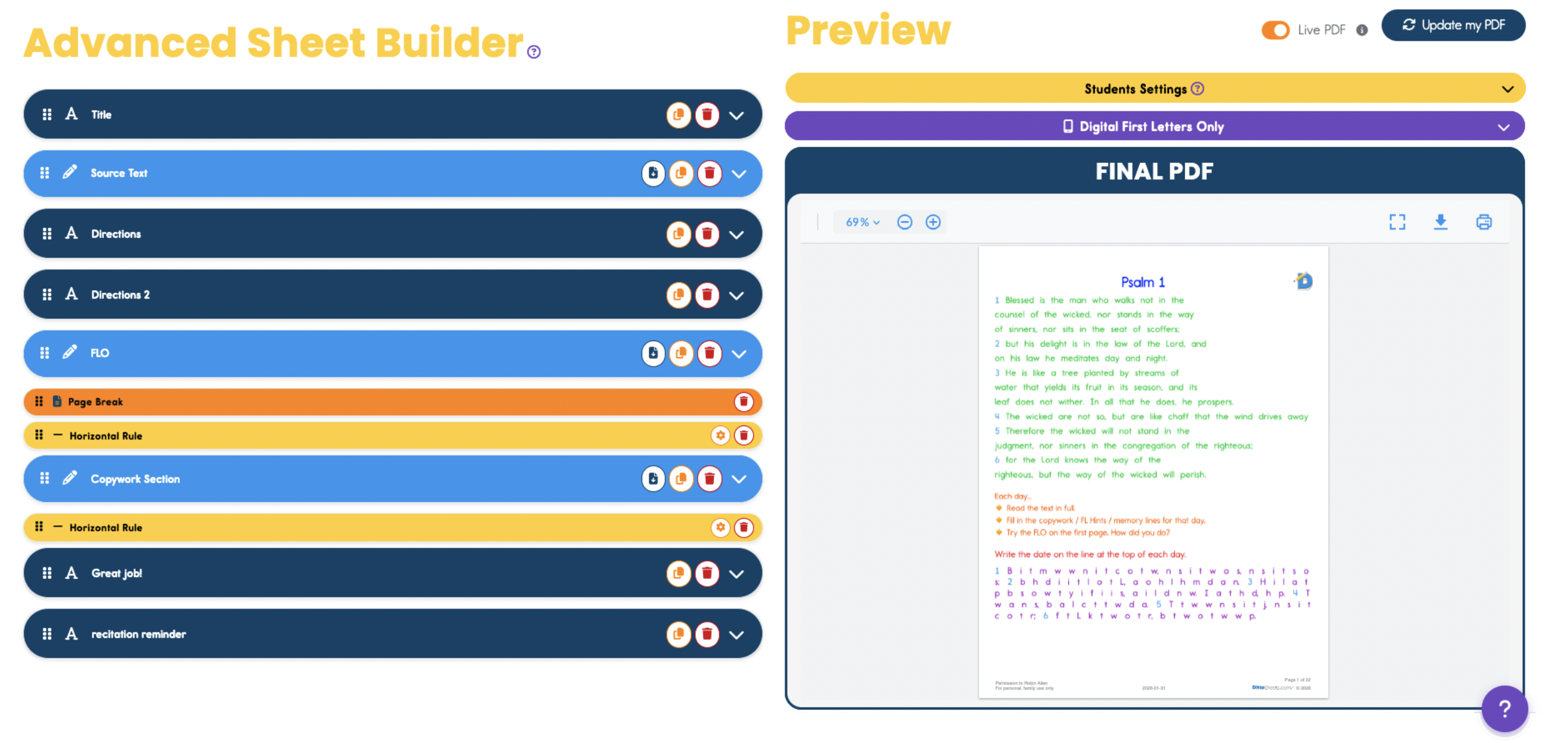
This Advanced Sheet Builder offers much more flexibility.
Notice the 5 Text Sections (navy), 3 Copywork Sections (blue), and page break (orange). There are 2 Horizontal Rule Sections, as well as Horizontal Rules separating Sheet Types and copies within Section 3.
Notice in The PDF to follow, that Copywork Section 3 contains "9 days" of assignments for the student.
Here is the PDF from this Advanced Sheet Builder1:
To make your life even easier...
To make your life even easier...
Next, Learn about the template feature of the Advanced Sheet Builder.
This means that if you create a beautiful Sheet, full of color, instructions, careful memory work choice, font/size formatting... on and on, you can save all your work as a template, and next time you pull up your template, you only need to paste in your next memory work into the copywork fields.