Cancelling / Deleting Your Account
Understand what happens when you cancel or delete your DittoSheets account.
Account Cancellation/Deletion
We're sorry to see you go. Before you delete or cancel your account, please understand what happens to your data and consider whether canceling your subscription (while keeping the account) might be a better option than permanent deletion.
Cancellation vs. Deletion
Canceling your subscription:
- Stops future charges
- Keeps your account active on the FREE plan
- Preserves all your content and student data
- Lets you resubscribe anytime with everything intact
Deleting your account:
- Permanently removes your account
- Deletes all your saved content
- Deletes all student profiles and data
- Cannot be undone
Before You Cancel or Delete
Make sure you:
- Download any worksheets you want to keep
- Export content if you've saved valuable passages
- Check billing - ensure no pending charges or refunds
- Consider alternatives - would downgrading work?
Account Cancellation
How to Cancel Your Subscription
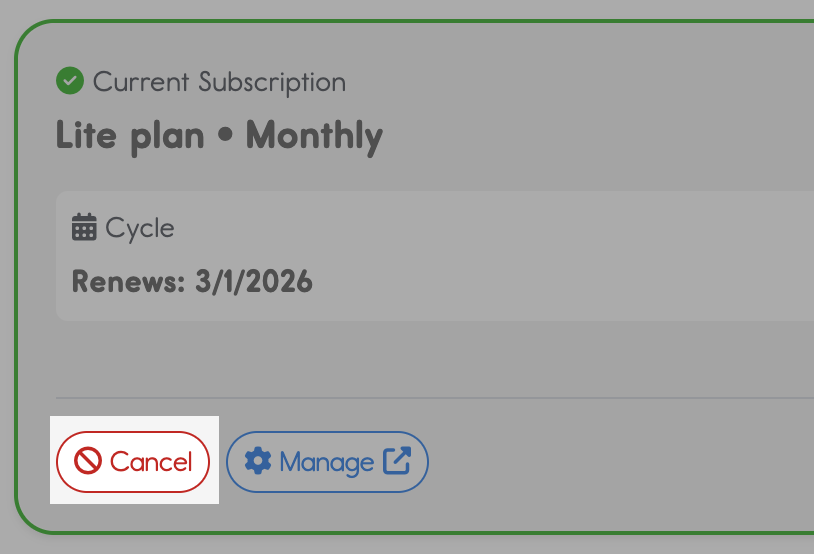
- Go to the Subscription page
- Find your current plan in the Current Subscription card
- Click the "Cancel" button
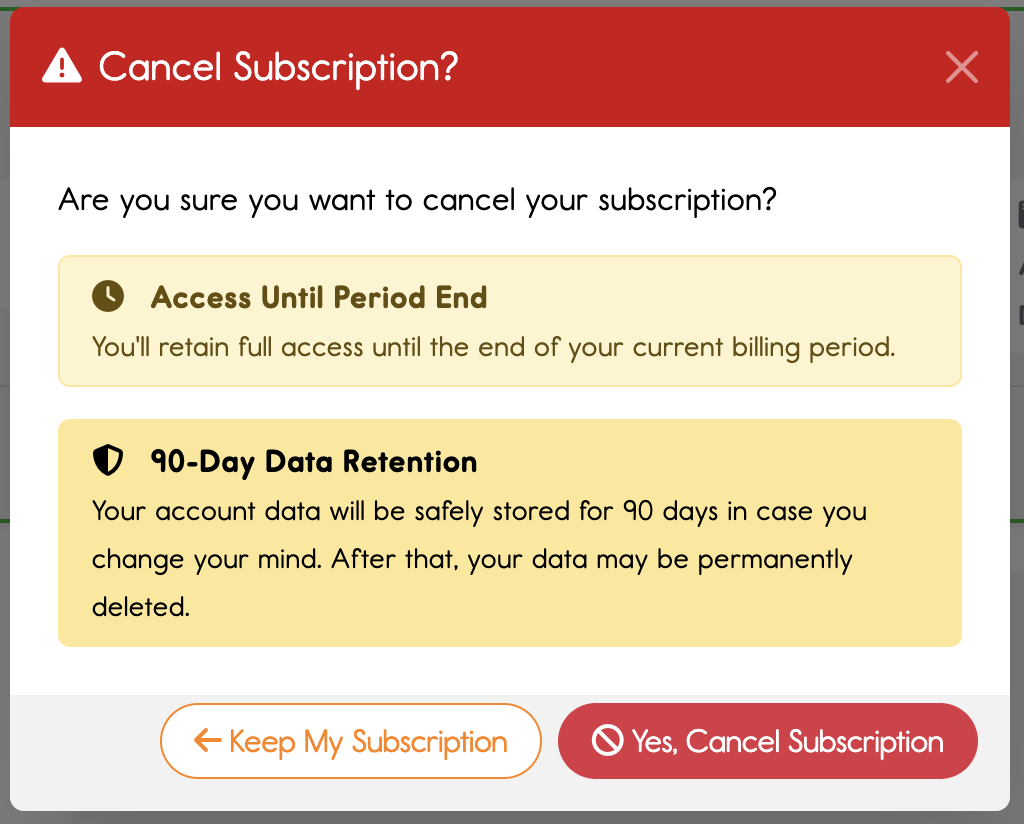
- Confirm your cancellation
What Happens Next
- Your subscription continues until the end of your current billing period
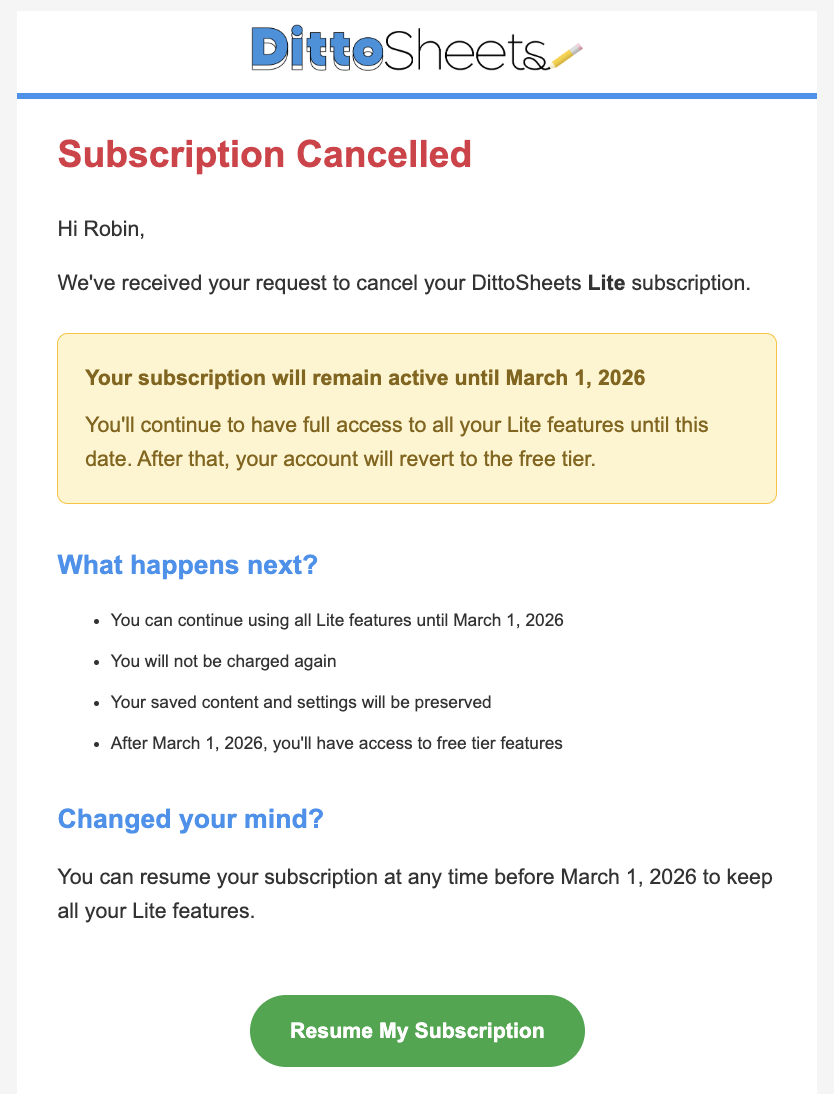
- You won't be charged again after that date
- You will receive a confirmation email with your options
- Your account stays active on the FREE plan
- All your data is preserved although you won't be able to use it - Content Hub items, Student settings, Advanced Sheet Builder templates, and print logs remain intact
- You can resubscribe anytime and pick up right where you left off with everything still there
What You'll Lose Access To
- Features included with your paid plan (Content Hub, Students, Advanced Sheet Builder, etc.)
- Your data is still saved - it's just not accessible until you resubscribe
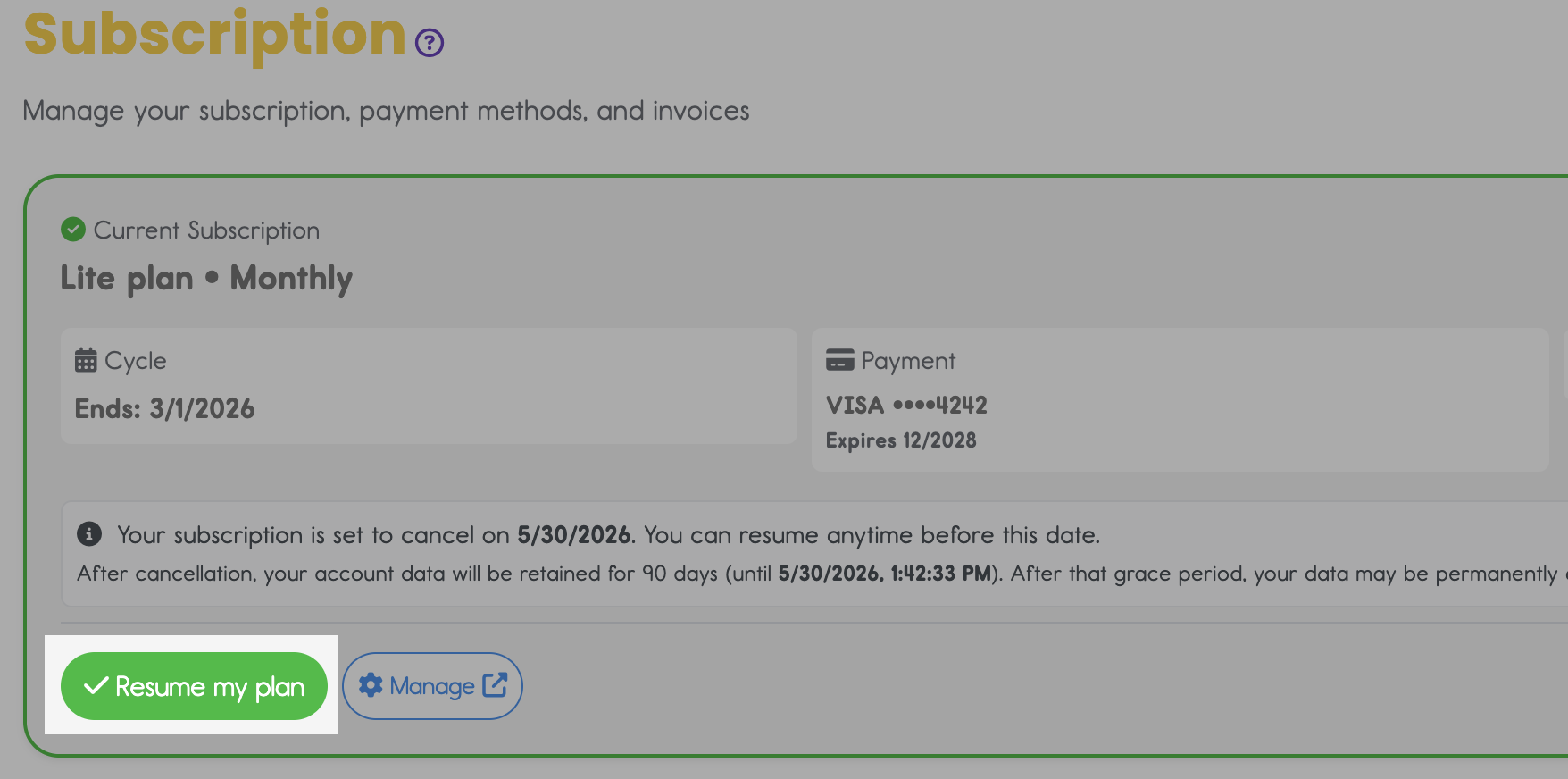
Changed Your Mind?
- Before your billing period ends, you can click "Resume my plan" to continue your subscription
- After it ends, you can resubscribe anytime from the Subscription page
Account Deletion
How to Delete
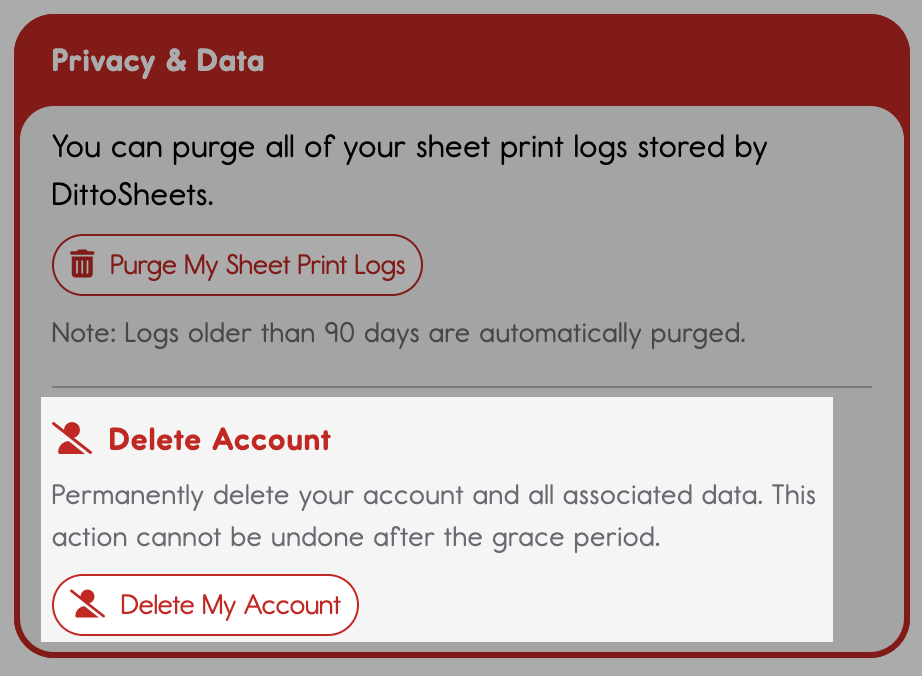
- Go to your profile page
- Scroll to the "Privacy & Data" section
- Click "Delete my Account"
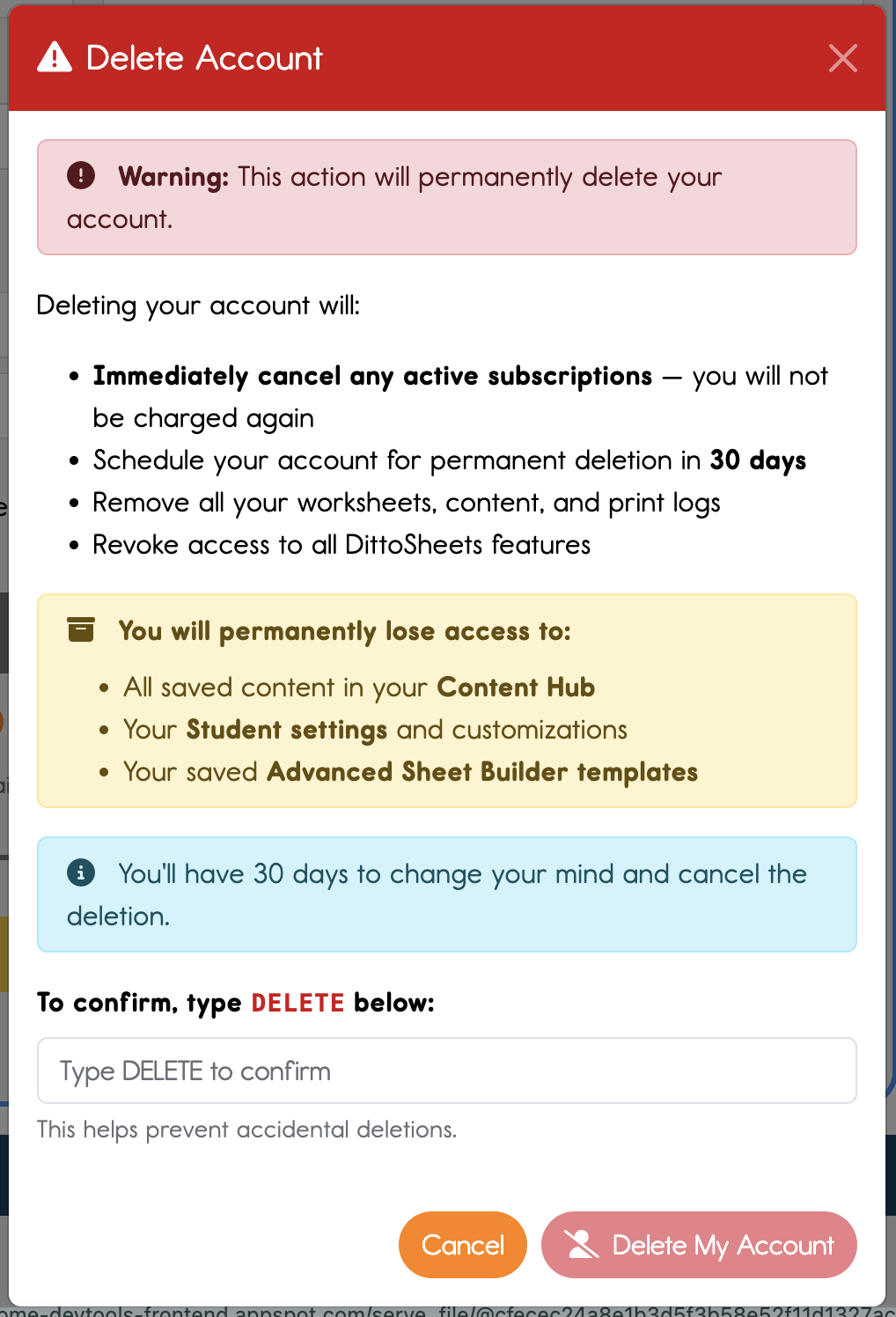
- Review the warnings about what you'll lose (including Content Hub, Student settings, and templates if you're on Plus or Premium)
- Type DELETE in the confirmation box
- Click "Delete My Account" to confirm
What Happens Next
- Any active subscription is cancelled immediately — you won't be charged again
- Your account is scheduled for permanent deletion in 30 days
- You'll receive a confirmation email with your options
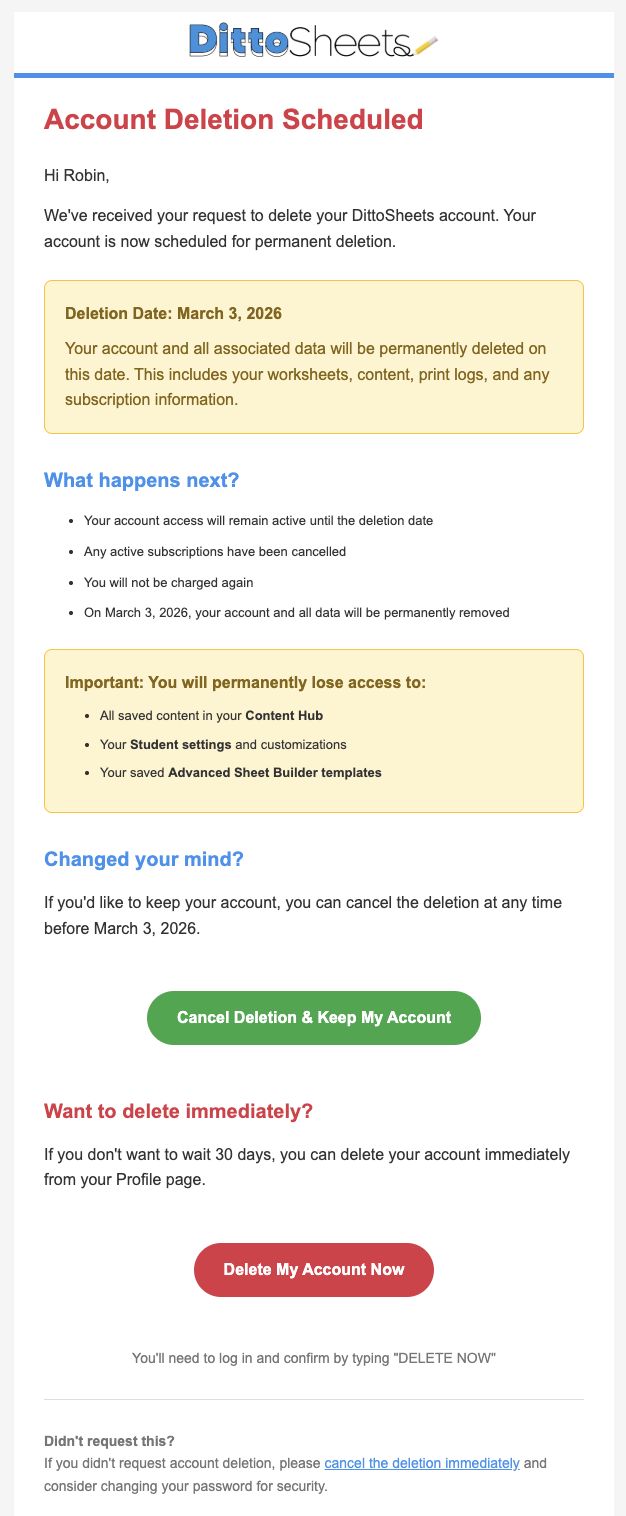
- You can continue using your account until the deletion date. Note that once your subscription expires (if different than the 30 day window), you will revert to the "FREE" tier.
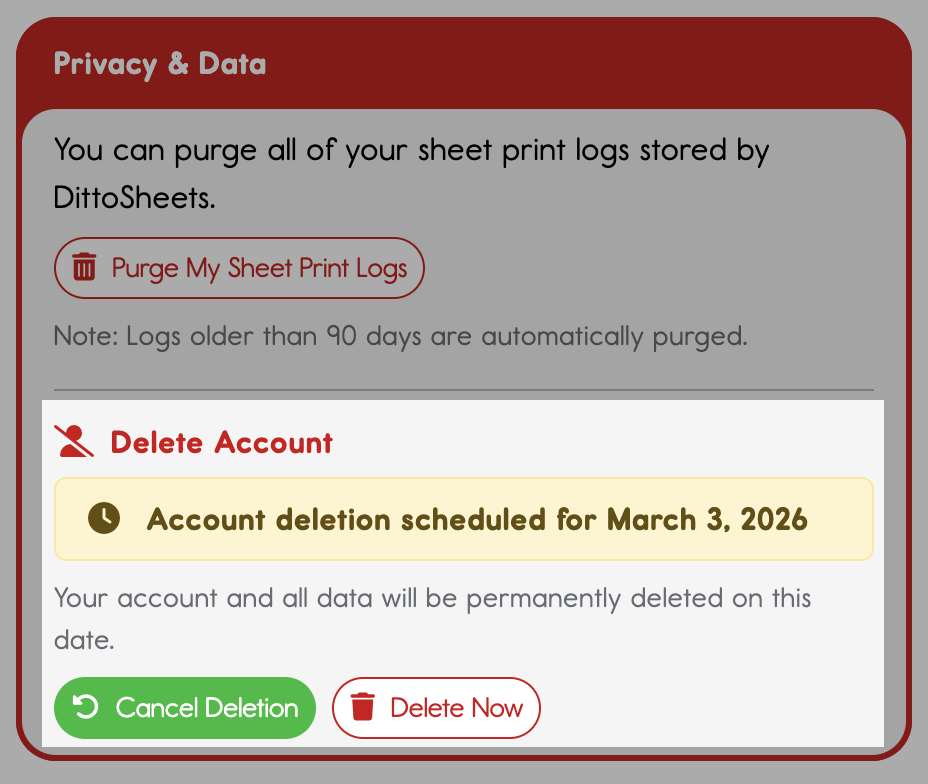
- You can cancel the deletion anytime within 30 days from your Profile or the email link
- If you don't want to wait, you can click "Delete Now" and type DELETE NOW to remove your account immediately
After Permanent Deletion
- You're logged out of DittoSheets
- All your data is permanently removed (worksheets, saved content, print logs, student settings)\
- Your email address can be used to create a new account
Changed Your Mind?
If you delete your account but later want to use DittoSheets again, you're welcome to create a new account. However, you'll be starting fresh - previous content, students, and history won't be recoverable.