Getting Help
How to get help when you need it.
Getting Help
Stuck on something? Found a bug? Have a question? We're here to help.
Here's how to reach us and what to expect.
Self-Service Resources
Before contacting support, you might find your answer in:
- This Learning Center - Comprehensive guides and tutorials
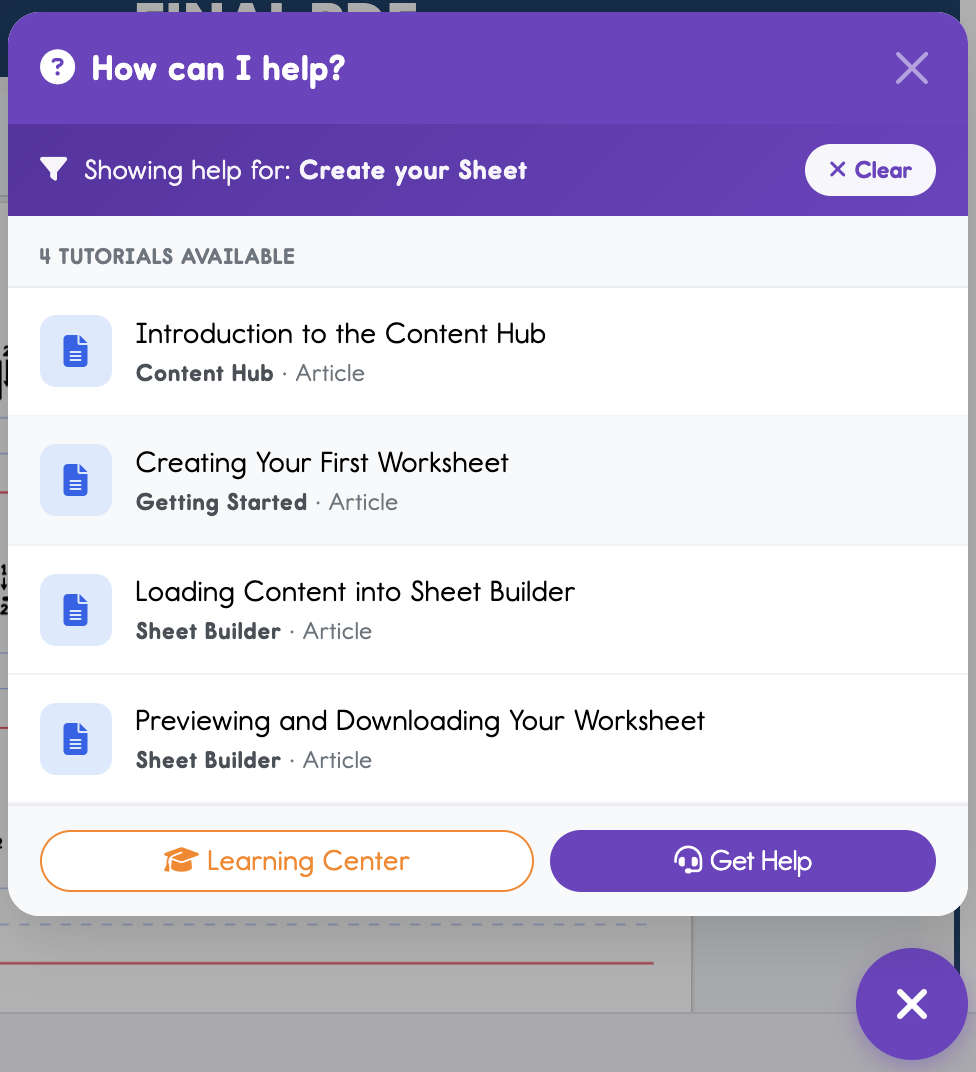
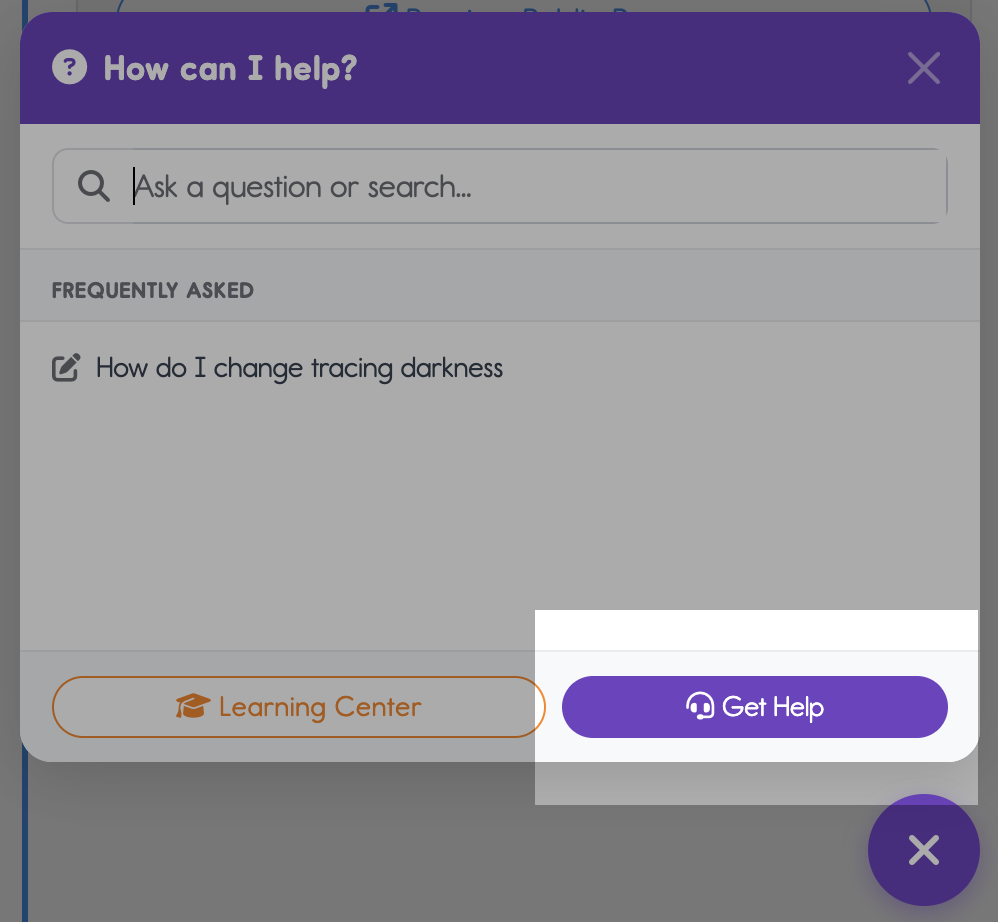
- Help Center - Found in the lower right hand corner of every page on the toolbox. This shows:
- Relevant articles related to the page you are currently viewing
- Frequently asked questions from other users about the page you are viewing
- Search bar that searches all articles in the learning center
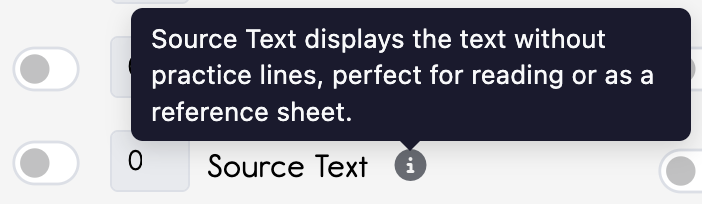
- In-app information icons - Look for the little circles with an "i" inside located throughout the toolbox. Hover on those to learn more about that feature!

- In-app help icons - Look for the little circles with a "?" inside located throughout the toolbox. Click on those to show relevant training lessons for that topic.

Support Channels
In-App Contact Form
The help center (which can be found on every page in the toolbox) is the easiest way for you to reach us. Submitting a request here automatically includes your account info, making it easier for us to help you quickly.
- Simply click on the purple help (?) icon found in the lower right hand corner.
- Click on the "Get Help" button
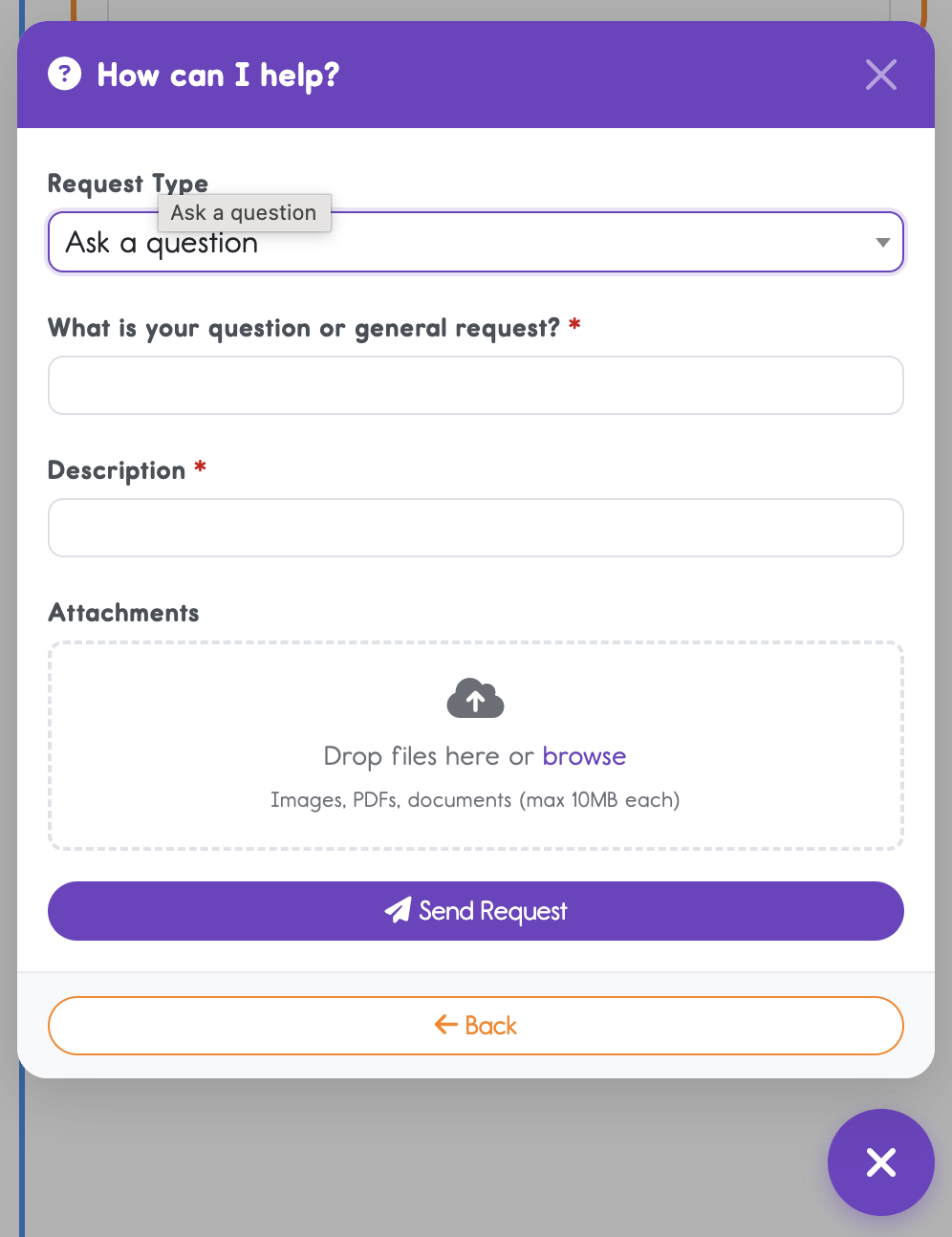
- Choose your "Request Type"
- Fill out the form, and hit "Send Request"

Email Support
Email us at admin@dittosheets.com for any questions or issues. Include:
- Your account email address
- Description of the problem you are having
- What were you doing when you found the bug (we need to reproduce it)?
- Screenshots are helpful!
- On a mac you can hold cmd + ctrl + shift + 3
- On a PC you can hold the windows key + print screen
- Device and browser information
What our Support Can Help With
- Technical issues and bugs
- Billing questions
- Feature questions
- Account access problems
- Feature requests and feedback
Making Support Requests Effective
Help us help you faster:
- Be specific about what you were trying to do
- Include error messages exactly as shown
- Mention if the problem is consistent or intermittent
- Note if anything changed before the issue started
- Attach screenshots when relevant